Card transaction limits protect your money
We know you sometimes wonder, especially when you’re doing a lot of shopping, why you can’t make as many card transactions as you want in a single day — whether it’s a classic plastic card or a digital one — on the grounds that everyone should be able to do what they want, when they want, with their own money. That’s true. The card, the POS terminal, the ATM aren’t to blame. But here’s why — and how you can… have no limits (on your card, of course).
Cards do get lost. And if someone finds one and tries to use it, they won’t be able to access all your money. That’s why card transaction limits protect your money because they… limit losses. Makes sense now?😉. But here’s how you can increase these limits — easily, from your phone.
When you’ve hit the limit — and how to handle it
Every BT card has transaction limits, which vary both by amount and by the number of daily transactions. In other words, everything (that is, each card) has a limit 😊.
- Maximum 30 transactions/day/card: we say card transactions — not payments, even if that might sound more familiar — because on the card everything adds up, i.e. card payments in stores + card payments online + cash withdrawals at ATMs with the same card = transactions. If all of these together go over 30 in the same day, you’ve hit the limit.
- Maximum amount that can be transacted/day: hitting the limit can also mean you’ve reached the maximum amount you can transact, which depends on the card and on the type of transaction.
Where you can see your transaction limits and how to change them
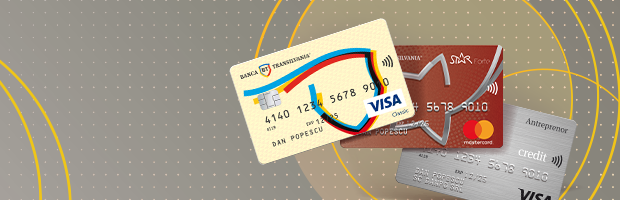
Depending on the card and the transaction, the limits differ. The good news is you can find them very easily and, better yet, you can change them. So, if you’re at the mall and the shopping marathon continues, instead of 20,000 lei — the amount you can spend per day with STAR Forte — you can increase it (i.e. extend your transaction limit); after all, it’s a shopping card 😉.
- In the BT Pay app – select the desired card –> Settings⚙ –> Card transaction limits -> Save
- In the BT Visual Help app
- Via BT24 Mobile Banking – Cards –> select the desired card –> View and change limits
- Via BT24 Internet Banking – Cards –> select the desired card –> View and change limits
- By phone, by contacting our colleagues at the Call Center (0264 30 80 28).
- Or drop by 😊
Now that you know how to get past the limits 😊, happy shopping!
Editor: Laura Petrehus, Deputy Director, Communications & PR, Banca Transilvania